


Meta Title: Firewalls and Proxies: The Ultimate Guide for Developers Meta Description: Understand the key differences between firewalls and proxies for web scraping. Learn how firewalls defend networks and proxies enable data access.
To succeed at web scraping, you need to understand two fundamental gatekeepers of the internet: firewalls and proxies. While both manage network traffic, they serve opposite purposes, and confusing them can quickly derail a data extraction project. A firewall is a defensive shield protecting a private network, whereas a proxy is an outbound agent that represents you on the open web.
Table of Contents
- Firewall vs. Proxy: What's the Difference?
- How Firewalls Create a Digital Fortress
- How Proxies Navigate the Open Web
- Why Your Scrapers Get Blocked
- Strategies to Overcome Scraping Blocks
- How a Scraper API Solves the Entire Problem
- Frequently Asked Questions
- Next Steps
Firewall vs. Proxy: What's the Difference?
Before you can extract data reliably, you must understand how these two components operate.
Imagine your network is a secure building. The firewall is the security guard at the main entrance, checking every ID to ensure only authorized people and packages get inside. Its sole job is to keep unwanted visitors out.
A proxy server is more like a diplomatic courier. It takes your messages (web requests), leaves the building, and delivers them to the outside world using its own official credentials. This process masks where the request truly came from.
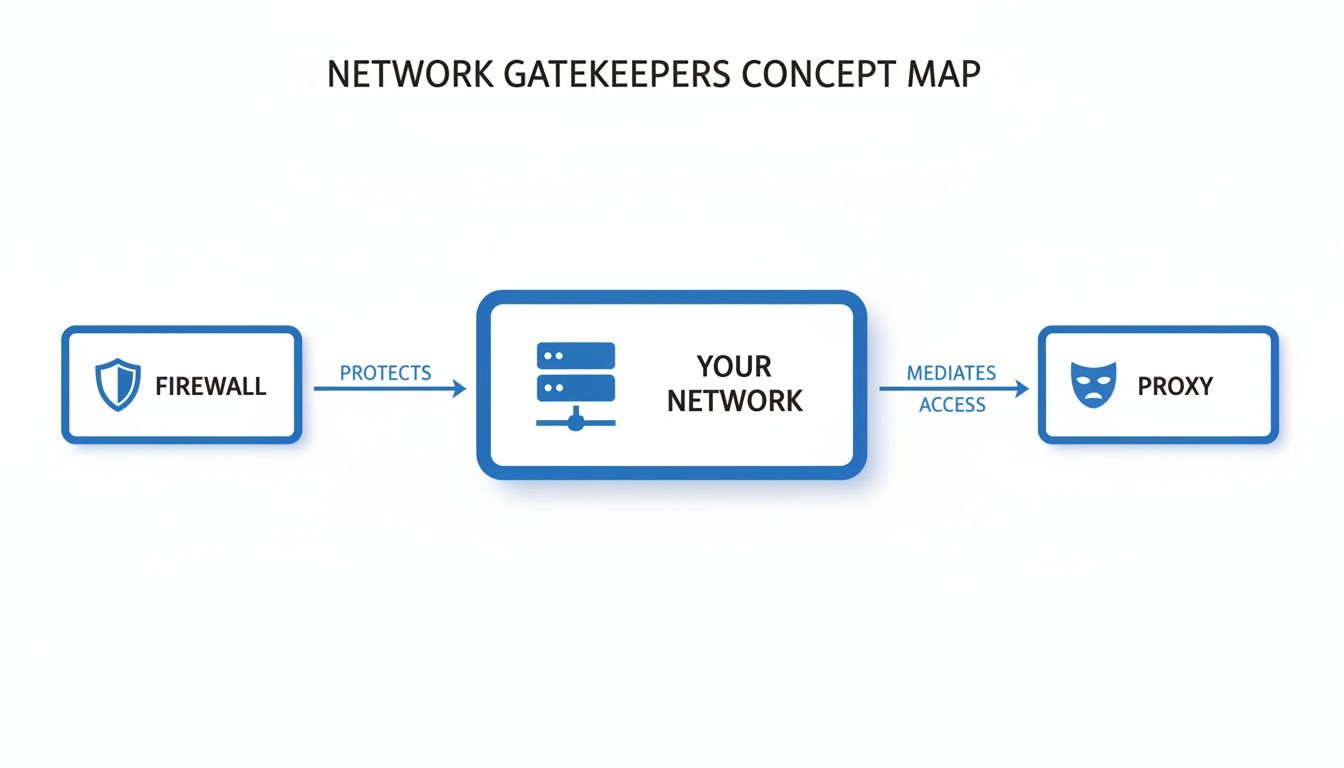 Caption: A firewall is the first line of defense for an internal network. From within that network, a proxy manages your appearance on the external internet.
Source: CrawlKit
Caption: A firewall is the first line of defense for an internal network. From within that network, a proxy manages your appearance on the external internet.
Source: CrawlKit
There's a clear separation of duties. The firewall handles inbound security, while the proxy manages your outbound identity.
Here’s a quick table breaking down their core differences.
| Attribute | Firewall | Proxy Server |
|---|---|---|
| Primary Goal | Security. Block external threats. | Anonymity & Access. Mediate requests. |
| Direction | Inbound. Protects an internal network. | Outbound. Represents you on the internet. |
| Main Job | Filter incoming traffic based on rules. | Forward outgoing traffic to its destination. |
Core Functions
A firewall's purpose is security. It's a gatekeeper between your trusted internal network and the untrusted internet, enforcing a strict set of rules to block malicious connections.
A proxy's purpose is anonymity, access, and policy enforcement. It acts as an intermediary, forwarding your outbound requests to other servers, masking your IP address, and letting you bypass geographic blocks or rate limits.
This is where the challenge for web scraping comes from. The target server's firewall tries to block anything suspicious, while your proxy tries to make your scraper look like a normal user.
Platforms like CrawlKit are designed to abstract this complexity away. As a developer-first, API-first web data platform, CrawlKit means no scraping infrastructure to manage. All the messy details of proxies and anti-bot systems are handled for you, so you can focus on data, not plumbing. You can read the CrawlKit docs to see how it works.
How Firewalls Create a Digital Fortress
To understand what’s happening, we need to look at how firewalls and proxies operate on a technical level. A firewall acts like a meticulous customs agent, inspecting every data packet that tries to cross the network's border. It examines the packet’s origin, destination, and the specific protocol it's using.
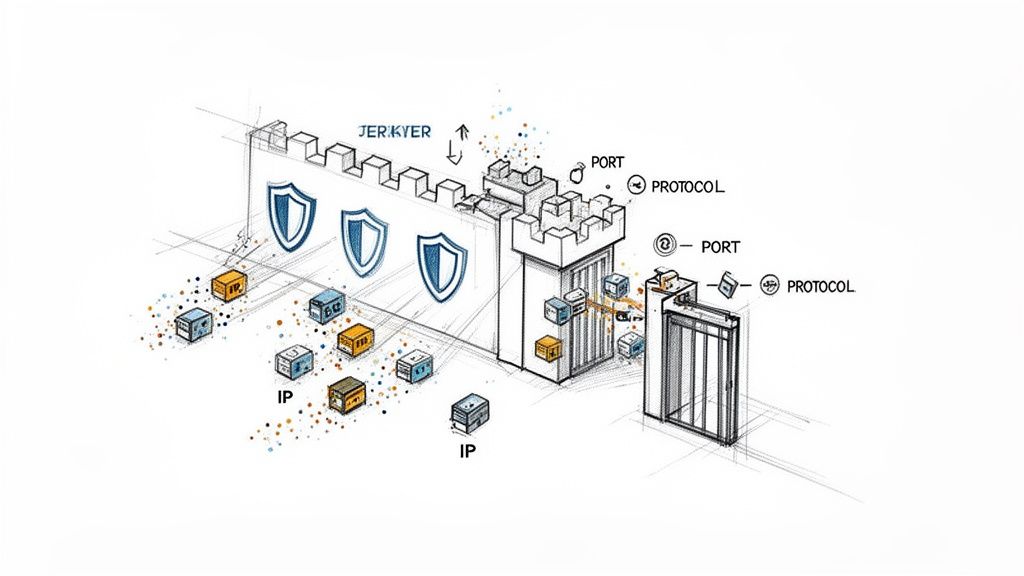 Caption: Firewalls enforce security rules by inspecting data packets for source/destination IPs, ports, and protocols to protect the network perimeter.
Source: CrawlKit
Caption: Firewalls enforce security rules by inspecting data packets for source/destination IPs, ports, and protocols to protect the network perimeter.
Source: CrawlKit
Core Firewall Inspection Methods
A firewall’s inspection process has evolved, with each method adding another layer of security.
- Packet Filtering: This is the most basic form. The firewall inspects the header of each data packet, which contains info like source and destination IP addresses and port numbers. It checks this against its access control list (ACL) to either allow or deny the packet.
- Stateful Inspection: A major step up. Stateful firewalls track the state of active connections. They understand the context of the traffic, knowing if a packet is part of an established, legitimate conversation. This prevents unsolicited packets from slipping through, even if they target an open port.
- Deep Packet Inspection (DPI): Modern Next-Generation Firewalls (NGFWs) go even further. They use DPI to look inside the data packet itself, not just at the header. This allows them to identify the specific application being used (like HTTP or FTP) and can even spot malware hidden within the packet's payload.
How Firewalls Affect Web Scraping
A firewall's job is to spot and shut down anomalous behavior. A massive volume of requests from a single IP address—the classic web scraper footprint—is a huge red flag that will trigger a firewall's defenses and get you blocked.
For a sense of network defense on a massive scale, look at the Great Firewall of China, which uses a combination of these techniques. When your scraper uses IPs that are already on shared blocklists or come from data centers known for suspicious activity, you're practically guaranteed to be flagged. This is why using clean, reputable proxies is non-negotiable for serious scraping projects.
How Proxies Navigate the Open Web
If firewalls are the shields protecting a server, proxies are the cloaking devices you need for effective data gathering. For any developer in the data space, understanding the nuances between firewalls and proxies is critical.
A proxy server sits between your scraper and the website you’re targeting. When you send a request, it goes to the proxy first, which then forwards it using its own IP address. To the target server, it looks like the proxy is the one making the request.
Caption: Rotating proxies from different sources (datacenter, residential, mobile) helps a scraper appear as multiple distinct users, avoiding IP-based blocks. Source: CrawlKit
This indirection makes them powerful. By routing your traffic through a pool of proxies, you can sidestep IP-based rate limits and access geo-restricted content. If you want to understand this from the other side, learning to configure a reverse proxy offers a great server-side perspective.
The Three Main Types of Proxies
Not all proxies are created equal. Your choice will impact your success rate, cost, and ability to access protected sites.
- Datacenter Proxies: These are IPs from servers in a data center—fast, cheap, and plentiful. However, they are also the easiest to spot and block.
- Residential Proxies: These are real IP addresses assigned by Internet Service Providers (ISPs) to homeowners. Because the traffic appears to be from a regular person's internet connection, these proxies have a much higher success rate.
- Mobile Proxies: The elite option. These IPs come from mobile carrier networks (4G/5G). They are incredibly difficult to block because blacklisting a mobile IP could block thousands of legitimate users sharing that address.
The demand for this access is massive. The global proxy server services market is projected to grow significantly as more businesses rely on automated data gathering.
This is exactly the problem CrawlKit was built to solve. It’s a developer-first platform where proxies and anti-bot systems are completely abstracted. Instead of wrestling with proxy lists and rotation logic, you make a simple API call to scrape data, extract it to JSON, and more. To learn more, see our guide on how proxies are used for product price tracking.
Why Your Scrapers Get Blocked
So you’re running your scraper with basic proxies, but requests are still failing. Why?
Websites today are guarded by sophisticated anti-bot systems that are incredibly good at differentiating between a real person and your script. They piece together a profile of signals to decide who gets in and who gets blocked.
The IP Reputation Problem
The most fundamental check an anti-bot system makes is on your IP reputation. Every IP address has a history, and security vendors like Cloudflare and Akamai keep meticulous records.
- Datacenter IPs: These are the cheapest proxies, but they stick out like a sore thumb. Their IP ranges are public knowledge, making them easy to block.
- Suspicious Geolocation: If a site mainly gets traffic from North America, a sudden wave of requests from an IP in another part of the world looks suspicious.
- Shared IP Blocklists: It’s the "bad neighbor" problem. If someone else using the same shared proxy IP got caught doing something shady, the entire IP can get blacklisted.
Advanced Fingerprinting Techniques
Beyond your IP address, anti-bot systems analyze your script's digital fingerprint. This goes way deeper than just checking a User-Agent string.
One of the most effective methods is TLS/JA3 fingerprinting. When your script makes an HTTPS request, the initial "client hello" packet it sends contains a unique signature based on your TLS library, cipher suites, and extensions. Different libraries—like those in Python, Node.js, or Go—create distinct fingerprints that look nothing like a standard web browser.
A basic cURL request, for instance, has a fingerprint that screams "I am a script!"
1# This simple request is easily identified by its default fingerprint.
2curl "https://httpbin.org/get" -A "MyScraper/1.0"
If a server sees thousands of requests with the same cURL fingerprint, it’s an open-and-shut case of automation. This is why just rotating IPs often isn't enough. Our guide to building web scrapers in Java explores how different languages face these same fingerprinting challenges.
Behavioral Analysis and Rate Limiting
Finally, these systems watch how you browse. Real humans are messy. They move the mouse, pause to read, and click links at random intervals. Scrapers are brutally, predictably efficient.
This machine-like behavior gives them away:
- Requesting pages faster than any human could read them.
- Navigating a site in a perfectly linear pattern, like
page=1,page=2,page=3. - Ignoring resources a real browser would load, like CSS, JavaScript, or images.
This predictable pattern makes it easy for anti-bot systems to hit you with rate limits, which can temporarily or permanently block your IP.
Strategies to Overcome Scraping Blocks
To get past modern anti-bot systems, you need a strategy that makes your scraper act less like a script and more like a person.
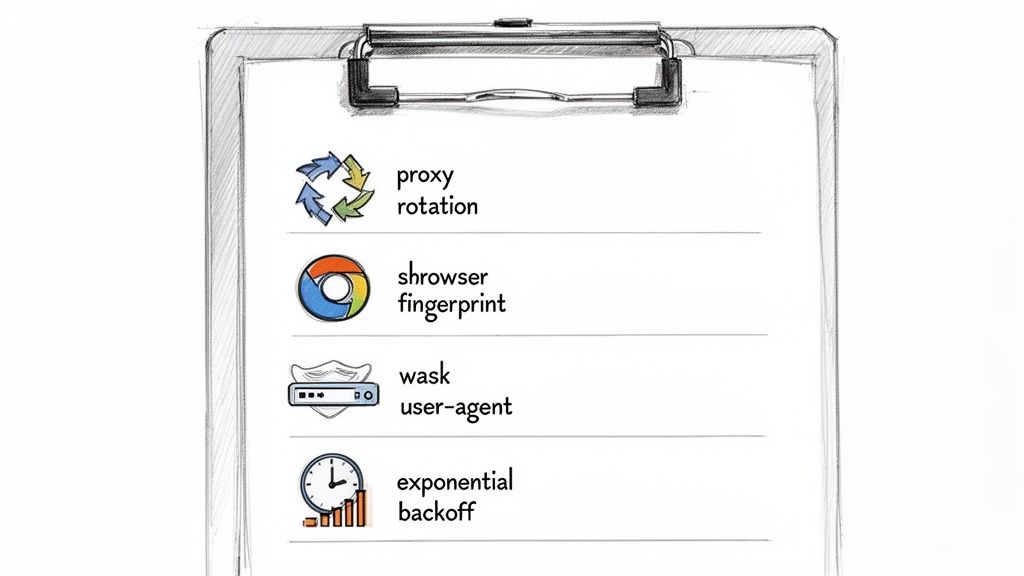 Caption: A multi-layered approach combining proxy rotation, browser fingerprinting, user-agent management, and respectful request rates is key to successful scraping.
Source: CrawlKit
Caption: A multi-layered approach combining proxy rotation, browser fingerprinting, user-agent management, and respectful request rates is key to successful scraping.
Source: CrawlKit
This means managing your scraper's identity, respecting server rules, and adding randomness to your behavior.
Intelligent Proxy Rotation
Spread your requests across a large pool of high-quality residential or mobile proxies so no single IP address sends enough traffic to look suspicious.
- Rotate IP per request: Ideal for scraping large sets of unrelated pages, like search results or product listings. Every request comes from a fresh IP, making it nearly impossible to connect the dots.
- Use sticky sessions: Essential for any multi-step process, like logging into an account or completing a checkout flow. A "sticky" session ensures all requests for that task come from the same IP, maintaining a consistent identity.
Mimic Real Browser Behavior
Your scraper must look and act like a real web browser. A huge part of that is the headers you send with every request. Sending the same User-Agent for thousands of requests is a dead giveaway.
You can randomize headers to blend in.
1import requests
2import random
3
4user_agents = [
5    "Mozilla/5.0 (Windows NT 10.0; Win64; x64) AppleWebKit/537.36 (KHTML, like Gecko) Chrome/108.0.0.0 Safari/537.36",
6    "Mozilla/5.0 (Macintosh; Intel Mac OS X 10_15_7) AppleWebKit/537.36 (KHTML, like Gecko) Chrome/108.0.0.0 Safari/537.36",
7    "Mozilla/5.0 (X11; Linux x86_64) AppleWebKit/537.36 (KHTML, like Gecko) Chrome/108.0.0.0 Safari/537.36"
8]
9
10headers = {
11    'User-Agent': random.choice(user_agents),
12    'Accept-Language': 'en-US,en;q=0.9'
13}
14
15response = requests.get("https://httpbin.org/get", headers=headers)
16print(response.json())
Beyond headers, managing your browser fingerprint is critical. Headless browsers like Puppeteer or Playwright offer control but can leak signals that identify them as bots. Dive deeper into this topic in our detailed guide on web scraping best practices.
Respect Server Limits with Exponential Backoff
Hammering a server with requests is the fastest way to get permanently banned. A smarter approach is exponential backoff. When you get blocked with an error like a 429 Too Many Requests, don't retry immediately. Instead, wait for a short, random interval. If the next request also fails, double the waiting time before trying again (e.g., 1s, 2s, 4s, 8s). This polite back-off reduces server load and lowers your chances of getting banned.
These strategies show how much manual work is involved in building a resilient scraper. This complexity is why an API-first platform like CrawlKit exists. Start free and see how much easier data extraction can be.
How a Scraper API Solves the Entire Problem
After wading through the complexities of firewalls and proxies, one thing is clear: building and maintaining a resilient web scraper is a full-time job. This constant infrastructure battle is a massive distraction from your real work.
*Caption: Learn how a web scraping API can simplify data extraction by handling proxies, CAPTCHAs, and browser fingerprinting automatically.* *Source: CrawlKit on YouTube*This is why a dedicated scraper API is the definitive solution. You offload the entire messy conflict to a managed service built to win it for you.
The Power of Abstraction
A developer-first platform like CrawlKit is built on a simple idea: you shouldn't have to be a network engineer to get public web data. The API works as a clean abstraction layer, handling all the gritty tasks.
When you send a request to CrawlKit, the platform automatically manages:
- Intelligent Proxy Rotation: Access a massive, rotating pool of residential and mobile proxies, making every request look genuine.
- Browser Fingerprint Management: The API crafts realistic TLS and browser fingerprints on the fly, sliding past advanced anti-bot systems.
- Automated Retries and Backoff: If a request fails, CrawlKit intelligently retries with different proxies and parameters until it gets through.
- CAPTCHA Solving: Integrated solvers handle challenges automatically, so your scrapers never get stuck.
A scraper API takes the cat-and-mouse game of bypassing anti-bot measures off your plate. You give it a URL and get back clean, structured JSON.
From Complex Code to a Simple API Call
The difference is night and day. You go from writing and maintaining hundreds of lines of code for session management and header rotation to making a single API call.
A simple cURL request to CrawlKit, for instance, does all that heavy lifting for you, including web scraping, data extraction to JSON, and even taking screenshots.
1# A single API call to get clean, structured data
2curl -G "https://api.crawlkit.sh/v1/scrape" \
3  --data-urlencode "url=https://example.com" \
4  -H "Authorization: Bearer YOUR_API_KEY"
This approach means you can stop worrying about the underlying firewalls and proxies. The platform handles the complexity, delivering the data you need reliably. You can explore our scraping product features to see the full scope of what's managed for you. Even better, you can start free and Try the Playground to see it in action.
Frequently Asked Questions
Here are some quick answers to common questions about firewalls and proxies.
1. What is the main difference between a firewall and a proxy? A firewall is a security tool that protects a network by filtering inbound traffic based on a set of rules. A proxy is an intermediary that manages outbound requests on behalf of a user, often to provide anonymity or bypass restrictions.
2. Can a proxy bypass any firewall? Not directly. A proxy navigates around a firewall's rules by changing the source IP address of a request. If a firewall blocks your IP, a proxy sends the request from a different, unblocked IP. However, advanced firewalls can detect and block traffic from known proxy networks.
3. Is it legal to use a proxy for web scraping?
Using a proxy is legal. The legality of web scraping depends on what data you collect, the website's terms of service, and how you scrape. Avoid collecting personally identifiable information (PII) or copyrighted content, respect robots.txt, and don't overload the server. Consult a legal professional for commercial projects.
4. Why do I still get blocked even when using a proxy? Anti-bot systems look for more than just your IP address. You might be blocked due to:
- Poor IP reputation: Using a blacklisted or datacenter proxy.
- Unnatural request rate: Sending requests too quickly.
- Bot-like fingerprint: Your TLS signature or request headers give you away.
- Predictable behavior: Navigating a site in a robotic pattern.
5. What's the difference between a VPN and a proxy? A proxy works at the application level (e.g., for your web browser or script). A VPN works at the operating system level, encrypting and routing all traffic from your device. Proxies are better suited for large-scale web scraping due to their flexibility and IP diversity, while VPNs are designed for user privacy and security.
6. Do I need a firewall if I use a proxy? Yes. They serve different functions. A firewall protects your own network from external threats, while a proxy manages how you appear to other networks. They are not mutually exclusive and are both important components of network management.
7. How do firewalls detect scrapers? Firewalls use several methods, including IP reputation analysis (blocking known scraper IPs), rate limiting (flagging an unusually high number of requests from one source), and deep packet inspection to identify non-browser traffic patterns.
8. Are residential proxies better than datacenter proxies? For web scraping, yes. Residential proxies use real IP addresses from ISPs, making them appear as legitimate human users. Datacenter proxies are easier for firewalls and anti-bot systems to detect and block.
Next Steps
Juggling the complexities of firewalls and proxies is a major roadblock for web data projects. CrawlKit is designed to take that off your plate. We abstract the entire process behind a single, clean API call.
- Deep Dive into Scraping Techniques: Advanced Web Scraping: 11 Best Practices to Avoid Blocks
- Explore Use Cases: How to Scrape LinkedIn Profile and Company Data in 2024
- Get Started with Code: Java Web Scraping: A Developer's Guide to Libraries and Tools