


Meta Title: Java Web Scraping: The Ultimate Guide for Developers Meta Description: Learn Java web scraping from start to finish. This guide covers Jsoup for static sites, Selenium/Playwright for dynamic sites, and best practices.
Looking to build powerful data extraction tools within the Java ecosystem? For developers building production-ready applications, java web scraping offers enterprise-grade performance and scalability. This guide covers everything from parsing static HTML with Jsoup to handling complex, JavaScript-driven websites.
Table of Contents
- Why Choose Java for Web Scraping?
- Scraping Static Websites with Jsoup
- Tackling Dynamic JavaScript-Driven Websites
- Building Resilient and Ethical Scrapers
- Structuring and Storing Your Scraped Data
- Frequently Asked Questions
- Next Steps
Why Choose Java for Web Scraping?
While Python often dominates the web scraping conversation, Java brings a unique combination of performance, scalability, and a battle-tested ecosystem. If you're building a large-scale data extraction engine that needs to integrate into an enterprise system, Java is a powerful contender.
The market for web scraping has exploded, with projections showing significant growth fueled by the need to power competitive analysis and AI models. In this high-stakes environment, Java’s robustness is a major asset.
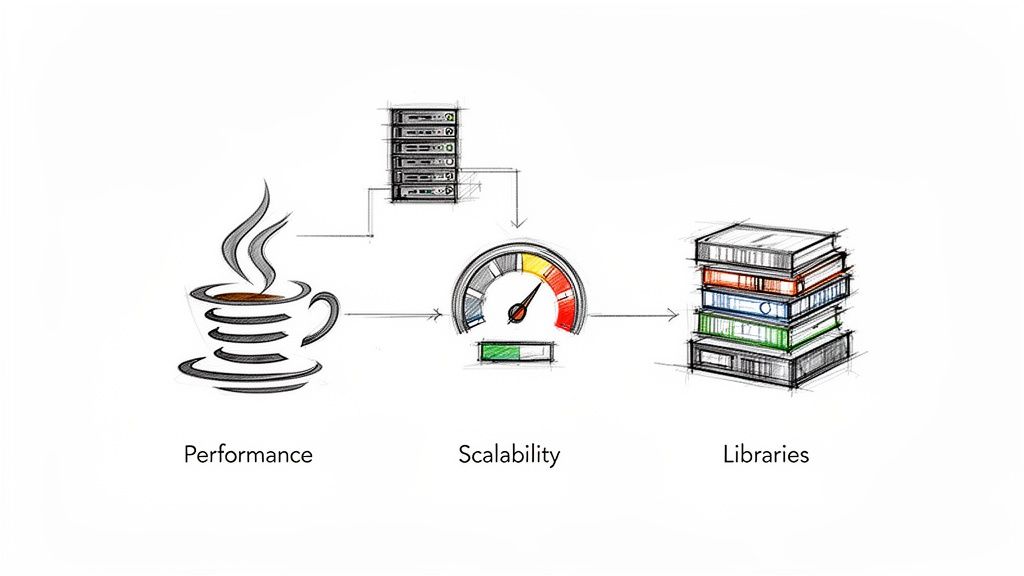 Java's performance, concurrency, and rich library ecosystem make it a strong choice for scalable web scraping. Source: CrawlKit.
Key Advantages of Using Java
Java's core strengths translate directly into wins for web scraping projects.
- Performance and Multithreading: Java's Just-In-Time (JIT) compilation and excellent concurrency support allow you to build scrapers that fetch and process data from many pages simultaneously, drastically reducing job completion times.
- Robust Library Ecosystem: A rich selection of mature libraries like Jsoup, HttpClient, Selenium, and Playwright provides tools for everything from simple HTML parsing to full browser automation.
- Scalability and Maintainability: Java was built for large, complex applications. Its static typing and object-oriented structure make scrapers easier to maintain, debug, and scale over time.
- Platform Independence: The "write once, run anywhere" philosophy means your Java scraper can be deployed on any server—Windows, Linux, or macOS—without code changes.
Many companies already have a significant investment in their Java stack. If you're looking to hire Java developers, you'll find a massive talent pool ready to tackle data projects. For a broader view, compare Java's capabilities against the best free web scraping software to ensure it's the right tool for your job.
Scraping Static Websites with Jsoup
The best place to start your java web scraping journey is with static websites. On these pages, all content is embedded directly in the initial HTML, with no complex JavaScript required to load data.
For these tasks, the combination of Java's built-in HttpClient for fetching the page and the Jsoup library for parsing is efficient and powerful. The process is simple: send a GET request, get the raw HTML, and use Jsoup’s intuitive API to navigate the Document Object Model (DOM) and extract the data you need.
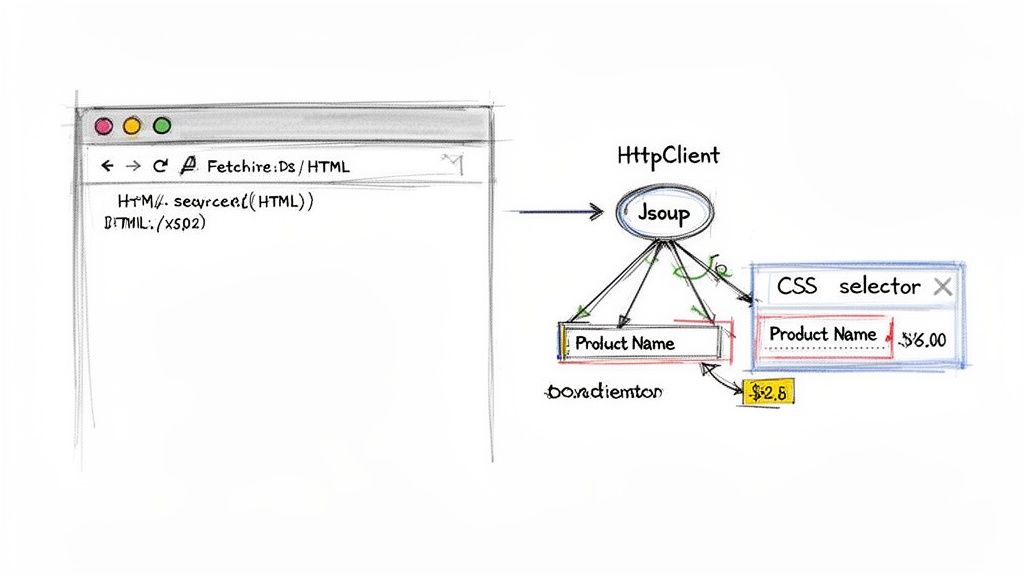 Jsoup uses CSS selectors to efficiently parse HTML and extract specific data points like product titles and prices. Source: CrawlKit.
Setting Up Your Scraping Project
A solid project structure is essential. Use a build tool like Maven or Gradle to manage your dependencies cleanly. For a Maven project, you'll need to configure your pom.xml file.
- Java’s
HttpClient: Part of Java since JDK 11, so no external library is needed. - Jsoup: A fantastic library for parsing real-world, messy HTML with a clean API.
Add this dependency to your pom.xml to include Jsoup:
1<dependencies>
2    <dependency>
3        <groupId>org.jsoup</groupId>
4        <artifactId>jsoup</artifactId>
5        <version>1.17.2</version>
6    </dependency>
7</dependencies>
Fetching and Parsing HTML
The core logic involves two steps: fetching and parsing. First, use HttpClient to get the page source. It's critical to build in resilience from the start.
- Configure Timeouts: Set connection and response timeouts to prevent your scraper from hanging indefinitely on slow or unresponsive servers.
- Check Status Codes: Always check the HTTP status code. A
200 OKmeans success. Handle other codes like404 Not Foundor503 Service Unavailablegracefully to avoid crashes.
Once you have the HTML as a string, pass it to Jsoup:
1// Assuming 'htmlContent' is the string returned from HttpClient
2Document doc = Jsoup.parse(htmlContent);
Jsoup transforms the raw string into a structured Document object, which is your gateway to the data within.
Extracting Data with CSS Selectors
With a parsed Document object, you can pinpoint data using CSS selectors. For instance, to get all product titles from <h3> tags with a product-title class, the selector is simple:
1Elements productTitles = doc.select("h3.product-title");This returns an Elements collection you can loop through to extract text or attributes. Mastering selectors is key; our XPath and CSS selector cheat sheet can help.
Pro Tip: Create selectors that are specific enough to get the right data but general enough to survive minor website updates. A class-based selector like
h3.product-titleis far more resilient than a brittle, structure-dependent one likediv > div > section > div > h3.
Tackling Dynamic JavaScript-Driven Websites
Static HTML is the easy part. The modern web relies heavily on JavaScript to fetch and render content after the initial page load. This is a major hurdle for basic java web scraping tools.
Jsoup is an HTML parser, not a browser; it cannot execute JavaScript. It only sees the initial HTML from the server, missing any content loaded by client-side scripts. To scrape these dynamic sites, you need browser automation tools that can load a page, wait for JavaScript to execute, and then provide the final, fully rendered HTML.
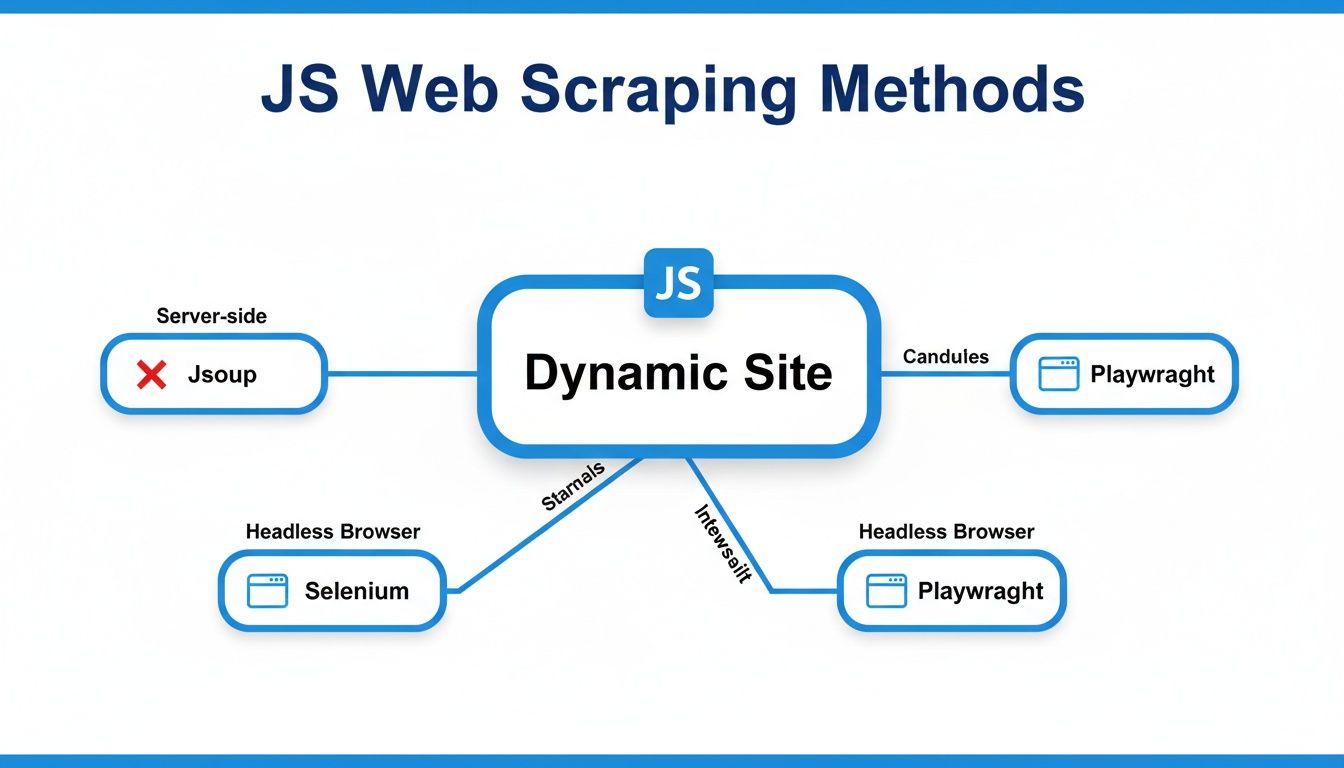 Scraping dynamic sites requires browser automation tools like Selenium or Playwright to render JavaScript content. Source: CrawlKit.
When Browser Automation Is a Must
Browser automation is necessary for sites built with heavy JavaScript frameworks like React, Angular, or Vue.js. The initial HTML on these sites is often just a shell. All the important content, like product prices or user reviews, appears only after the browser executes the site's scripts.
The demand for scraping dynamic sites is growing, largely driven by the need for high-quality data to train AI models. You can learn more about these modern web data trends on promptcloud.com.
Using Selenium for Dynamic Scraping
Selenium WebDriver is the veteran tool for browser automation. Originally built for testing, it allows your Java code to remote-control a real browser (like Chrome or Firefox), perform actions like clicking and scrolling, and then grab the final HTML.
To start, add the selenium-java dependency to your pom.xml. A critical skill when using Selenium is learning to wait for elements to appear on the page before trying to interact with them, as data loads at unpredictable speeds.
Enter Playwright for Java
Playwright is a more modern alternative to Selenium from Microsoft. It's often praised for its clean, async-first API and reliable performance. Its auto-waiting mechanism is a key feature, as it automatically waits for elements to be ready before interacting with them. This can simplify your code and reduce flaky scrapes.
Key Takeaway: The primary trade-off with browser automation is performance. Launching and controlling a full browser is significantly slower and more resource-intensive than a simple HTTP request.
Optimization and Managed Solutions
Managing a fleet of headless browsers for large-scale scraping is a major operational burden. You'll wrestle with memory leaks, zombie processes, and keeping browser versions updated. This is where managed, API-first platforms like CrawlKit come in.
CrawlKit is a developer-first web data platform that abstracts away the need for you to manage any scraping infrastructure. Instead of fighting with browsers and proxies, you just make an API call. We handle running the browser, rotating proxies, and solving anti-bot challenges. You can check out a list of the best web scraping APIs to see how they compare. Start for free to try it out.
Building Resilient and Ethical Scrapers
Production-grade java web scraping requires building scrapers that are resilient, responsible, and don't get blocked. The goal is to find a balance between scraping speed and being a good internet citizen. Firing off too many requests too quickly can overwhelm a server and lead to IP bans.
Ethical Scraping Fundamentals
Following a few best practices signals to websites that you're a "good bot," reducing your chances of being blocked.
- Set a Descriptive User-Agent: The default Java User-Agent is easily blocked. Use a custom string that identifies your project and provides a contact method.
java
1// Setting a custom User-Agent with HttpClient 2HttpRequest request = HttpRequest.newBuilder() 3 .uri(URI.create("https://example.com")) 4 .header("User-Agent", "MyScraper/1.0 (+http://example.com/bot-info)") 5 .build(); - Respect
robots.txt: This file, found at the root of most domains, outlines the rules for crawlers. While not legally binding, ignoring it is the fastest way to get your IP address banned. - Implement Rate Limiting: Add a polite delay between your requests using
Thread.sleep()to avoid overwhelming the target server.
Navigating Anti-Bot Measures
At scale, you will encounter sophisticated anti-bot systems. Getting around them requires a few more techniques.
- Proxy Rotation: Route your requests through a pool of different proxy IP addresses. This distributes your traffic and helps you avoid IP-based rate limits.
- Effective Session Management: For sites that use cookies to maintain state, your scraper must accept cookies from the server and send them back with subsequent requests to keep the session alive.
Managed Solutions for Scalable Scraping
Building and maintaining this infrastructure is a full-time job. You have to manage proxy pools, rotate user agents, and constantly adapt to new anti-bot measures.
This is where API-first platforms like CrawlKit come in. CrawlKit is a developer-first web data platform designed to abstract away all the scraping infrastructure. All the hard parts—proxies, CAPTCHA solving, and browser management—are handled for you.
1# A simple cURL request to CrawlKit's API
2curl -X POST "https://api.crawlkit.sh/v1/scrape/json" \
3  -H "Content-Type: application/json" \
4  -H "Authorization: Bearer YOUR_API_KEY" \
5  -d '{
6    "url": "https://example.com/products",
7    "render": true,
8    "extract": {
9      "products": {
10        "selector": ".product-card",
11        "many": true,
12        "fields": {
13          "title": ".product-title",
14          "price": ".product-price"
15        }
16      }
17    }
18  }'
You get scalable, resilient web scraping without the infrastructure headaches. Learn more in our web scraping best practices guide.
Structuring and Storing Your Scraped Data
Raw HTML isn't very useful. The real value comes from transforming that web data into a clean, structured format. This means mapping extracted strings—like a product title or price—into a format your Java code can understand.
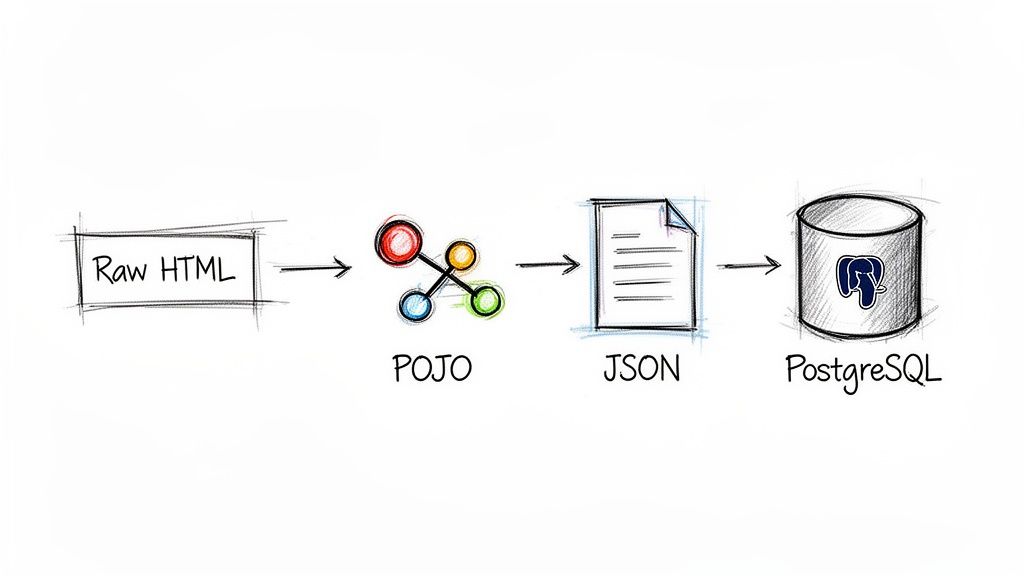 A standard Java scraping pipeline involves parsing HTML, mapping it to objects (POJOs), serializing to JSON, and storing in a database. Source: CrawlKit.
From Raw Data to Plain Old Java Objects
The best way to organize scraped data in a Java application is by mapping it to Plain Old Java Objects (POJOs). A POJO is a simple class with fields, getters, and setters that acts as a blueprint for the data you're scraping.
This approach offers several advantages:
- Type Safety: Catches bugs at compile-time instead of runtime.
- Clean Code:
product.getPrice()is far more readable and maintainable thandata[1]. - Easy Validation: You can build validation logic directly into your POJO's setters.
For example, a Product POJO might look like this:
1public class Product {
2    private String title;
3    private double price;
4    private String url;
5
6    // Constructors, getters, and setters...
7}
Serializing Objects to JSON
Once your data is in POJOs, the next step is often to serialize it into a universal format like JSON. It's lightweight, human-readable, and the standard for modern APIs. Use a dedicated library like Google's Gson or Jackson for this.
Using Gson, converting a list of Product objects into a JSON string is a one-liner. This step is a cornerstone for building robust data pipelines that feed modern applications.
Storing Data in a Relational Database
For projects that require structured queries, a relational database like PostgreSQL or MySQL is a great choice. You can use JDBC (Java Database Connectivity) to connect your application to the database.
The workflow is straightforward:
- Add the appropriate JDBC driver as a Maven/Gradle dependency.
- Establish a connection to your database.
- Create a
PreparedStatementwith your SQLINSERTcommand. - Loop through your list of POJOs and execute the insert statement for each.
Crucial Tip: Always use
PreparedStatement. It parameterizes your queries and is your primary defense against SQL injection vulnerabilities—a non-negotiable security practice.
Frequently Asked Questions
Navigating the common questions that arise during Java web scraping projects. Source: CrawlKit.
Is web scraping with Java legal?
The legality of web scraping depends on what you scrape, how you do it, and your legal jurisdiction. Scraping publicly available data is generally permissible. However, scraping copyrighted content, personal data (regulated by GDPR or CCPA), or data behind a login wall introduces legal complexity. Always check a site's robots.txt file and terms of service, and consult a legal expert for commercial projects.
How do I avoid getting blocked while scraping?
To avoid getting blocked, make your scraper behave more like a human user.
- Rotate IP Addresses: Use a proxy service to route requests through a large pool of IPs.
- Set a Realistic User-Agent: Use a common browser User-Agent string to blend in.
- Implement Delays: Introduce randomized delays between requests to mimic human browsing speed.
- Manage Sessions and Cookies: Ensure your scraper handles cookies properly to maintain a consistent session.
Which is better for web scraping: Java or Python?
Both are excellent choices with different strengths. Python, with libraries like Scrapy and BeautifulSoup, is known for rapid development and is great for smaller projects and prototypes. Java excels in performance, stability, and concurrency, making it ideal for large-scale, high-performance data extraction systems that require long-term reliability.
How do I scrape data that requires a login?
Use a browser automation tool like Selenium or Playwright for Java. Your script can navigate to the login form, programmatically enter credentials, and submit the form. Once logged in, the library will manage session cookies automatically, allowing you to access protected pages. Always ensure this is permitted by the website's terms of service.
What is the best Java library for parsing HTML?
Jsoup is widely considered the best Java library for parsing HTML. It is specifically designed to handle messy, real-world HTML and provides a convenient API for extracting and manipulating data using DOM traversal, CSS selectors, and jQuery-like methods.
Can Java handle large-scale web scraping?
Yes, Java is exceptionally well-suited for large-scale web scraping. Its strong performance, robust multithreading capabilities, and mature ecosystem allow developers to build highly concurrent and scalable crawlers capable of processing millions of pages efficiently.
Wrangling proxies, dealing with anti-bot systems, and managing browser automation can be a massive time sink. Instead of building and maintaining all that complex infrastructure yourself, you can use a platform designed to handle it for you. CrawlKit is a developer-first, API-first web data platform that abstracts away all the hard parts. You make a simple API call, and we deliver clean, structured JSON data.
Next Steps
- Web Scraping Best Practices to Avoid Getting Blocked
- The Ultimate XPath and CSS Selector Cheat Sheet
- How to Build Modern Data Pipelines