


Meta Title: Python String to JSON: A Practical Developer's Guide (2025)
Meta Description: Master converting a Python string to JSON with json.loads(). Our guide covers parsing, error handling, real-world web scraping examples, and common pitfalls.
Dealing with data from APIs or web scraping often means you need to convert a Python string to JSON. This skill is fundamental for any developer working with web data, as it's the first step in turning raw text into a structured, usable Python object. The primary tool for this is Python's built-in json module, specifically the json.loads() function.
json.loads() takes a string formatted like JSON and translates it into a native Python object, usually a dictionary or a list. This makes the data immediately accessible and useful within your application.
Table of Contents
- Why Mastering JSON in Python is Essential
- The Go-To Method:
json.loads() - Serializing Python Objects Back into JSON Strings
- Troubleshooting Common JSON Parsing Errors
- FAQ: Common Questions About Python String to JSON
- Next Steps
Why Mastering JSON in Python is Essential
Nearly any time your Python script communicates with the outside world, it's likely using JSON (JavaScript Object Notation). It has become the universal language for data exchange on the web, making the conversion from a raw string to a Python object a daily task for most developers. Getting this right ensures you can reliably interpret and work with data from any API or website.
The dominance of JSON is hard to overstate. Its lean payloads and simple parsing have made it the format of choice for modern web applications, far outpacing older formats like XML. The entire web practically runs on it.
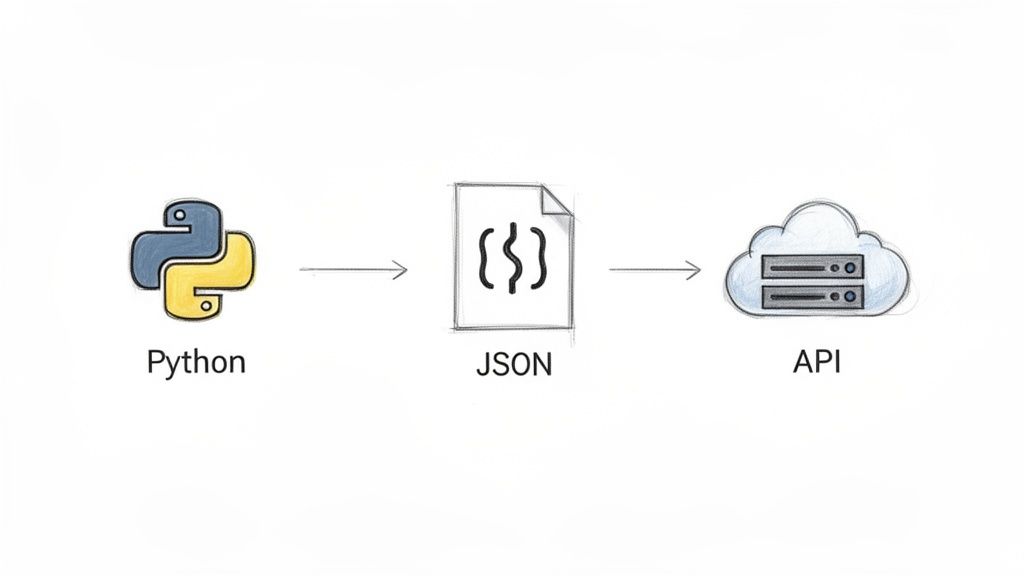 Caption: Python's
 json module is the bridge between raw string data from APIs and usable Python objects.
Source: Generated by AI for CrawlKit.
The Core of Data Communication
At its heart, converting strings to JSON is all about communication. Your Python code needs to understand the language of the servers and services it interacts with. Mastering this process saves you from frustrating errors and subtle data corruption bugs.
You'll encounter this process constantly in:
- API Integration: When you call a web API, the response is almost always a JSON string. Parsing it is the first step to using the data.
- Data Storage: Many apps use JSON for configuration files or for serializing objects before storing them in a database or a Redis cache.
- Web Scraping: Extracting data from websites often involves grabbing JSON hidden inside
<script>tags or sniffing background API calls. Our guide on modern web data use cases explores these scenarios in more detail.
JSON is a perfect example of semi-structured data. This guide will provide the practical knowledge to handle these conversions cleanly, turning messy, real-world strings into structured, actionable Python objects.
The Go-To Method: `json.loads()`
When you have a JSON-formatted string in Python, your best tool is json.loads(). It's part of Python's built-in json library, so there's nothing to install. The name stands for "load string," and it does exactly that: it parses a string containing JSON data and transforms it into a native Python object.
The process is direct: you provide the function your string, and it returns a Python dictionary or list, depending on the JSON's structure. This makes the data immediately workable within your script.
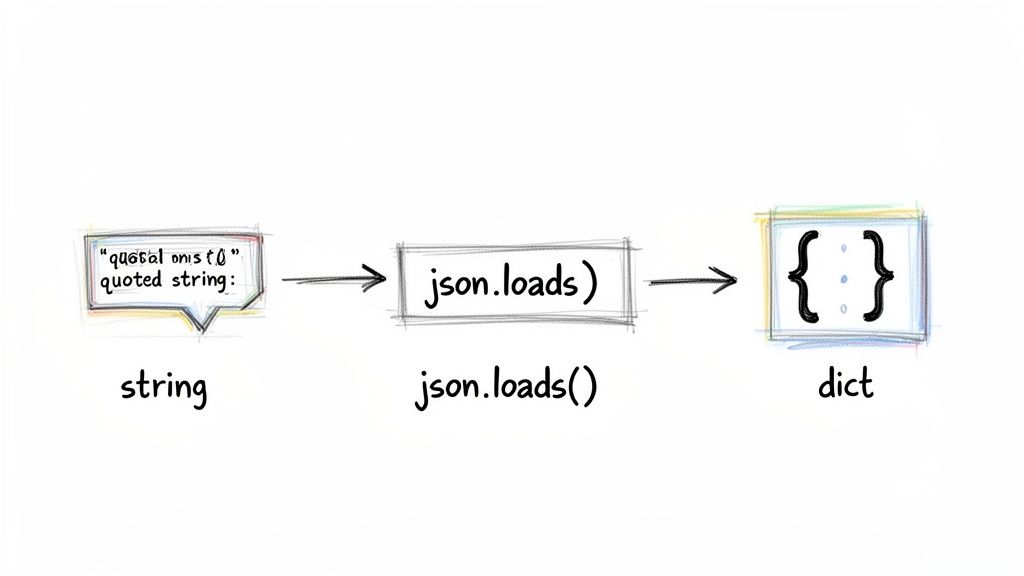 Caption: The
 json.loads() function directly maps a JSON string to a corresponding Python dictionary.
Source: CrawlKit internal documentation.
How It Works
The json.loads() function reads your string and performs a direct translation, mapping JSON data types to their Python counterparts. This seamless mapping is why JSON and Python work so well together. If you're building anything that talks to a web service, understanding this translation is fundamental. Our guide to web scraping APIs details how this step fits into broader data extraction workflows.
Here’s a quick reference for the data type mapping.
JSON and Python Data Type Mapping
| JSON Data Type | Python Equivalent |
|---|---|
Object ({}) | dict |
Array ([]) | list |
String ("text") | str |
Number (101 or 3.14) | int or float |
true / false | True / False |
null | None |
The conversion is intuitive—JSON objects become dictionaries, arrays become lists, and special values like null correctly map to Python's None.
A Practical Code Example
Let's see this in action with user data received from an API call as a string.
1import json
2
3# A typical JSON string you might get from an API
4user_data_string = '{"userId": 101, "username": "dev_user", "isActive": true, "roles": ["editor", "viewer"]}'
5
6# Use json.loads() to parse the string into a Python object
7user_data_dict = json.loads(user_data_string)
8
9# Now you can work with it like a normal Python dictionary
10print(f"Username: {user_data_dict['username']}")
11# Output: Username: dev_user
12print(f"Is active: {user_data_dict['isActive']}")
13# Output: Is active: True
14print(f"First role: {user_data_dict['roles'][0]}")
15# Output: First role: editor
In this snippet, json.loads() turns our raw string into user_data_dict, a standard dictionary. You can then access keys and values just as you would with any other Python dictionary.
The Double-Quotes Rule: A Common Pitfall
A classic mistake that trips up newcomers is the strict quoting requirement. The JSON specification mandates that all keys and string values must be enclosed in double quotes (").
Python is more flexible, allowing single quotes (') for dictionary keys and strings. However, passing a string with single quotes to json.loads() will result in a json.JSONDecodeError. This is a frequent source of bugs, especially when dealing with poorly formatted data. Always double-check your quotes.
Serializing Python Objects Back into JSON Strings
*Caption: A video tutorial explaining the differences between Python dictionaries and JSON objects.* *Source: YouTube, Corey Schafer.*While parsing JSON strings is about reading data, the reverse operation—serializing a Python object back into a JSON string—is just as crucial. You'll need to do this whenever your application sends structured data, such as posting a payload to a web API or saving a configuration file.
The function for this is json.dumps(), which stands for "dump string." It takes a Python dictionary or list and converts it into a valid, JSON-formatted string. The function automatically handles data type conversions, turning Python's None into null and True into true.
Pretty-Printing JSON for Readability
Raw JSON strings can be a nightmare to read, often appearing as one massive, unreadable line. This is where json.dumps() shines, thanks to its useful indent parameter.
By setting indent to an integer (like 2 or 4), you tell the function to format the output with proper line breaks and indentation. This "pretty-printing" is a lifesaver when inspecting API payloads or debugging configuration files.
1import json
2
3python_payload = {
4    "userId": 205,
5    "isActive": True,
6    "permissions": {
7        "admin": False,
8        "editor": True
9    },
10    "lastLogin": None
11}
12
13# Serialize with an indent of 2 for clean formatting
14pretty_json_string = json.dumps(python_payload, indent=2)
15
16print(pretty_json_string)
17# {
18#   "userId": 205,
19#   "isActive": true,
20#   "permissions": {
21#     "admin": false,
22#     "editor": true
23#   },
24#   "lastLogin": null
25# }
The output is perfectly structured, making it easy to see the data's hierarchy.
Ensuring Consistent Output with `sort_keys`
Another handy parameter is sort_keys=True. When enabled, json.dumps() will sort all dictionary keys alphabetically in the resulting JSON string.
This is useful for any task requiring consistent, deterministic output, such as caching API responses or comparing two JSON objects for equality. Sorting the keys ensures you get the same string every time for the same data.
This level of control is why Python’s built-in json module is so popular. It reliably handles tricky details and is a cornerstone of web data processing. For deeper insights, Real Python offers excellent details on Python's JSON handling capabilities. For complex data workflows, such as those needed to build reliable AI agent input pipelines, having structured and predictable data is non-negotiable.
Troubleshooting Common JSON Parsing Errors
Working with perfectly formatted JSON is a dream, but real-world data is rarely that clean. Sooner or later, every developer encounters the json.JSONDecodeError. This is Python's way of telling you the string you're trying to parse doesn't follow the strict rules of the JSON format.
The key to fixing these issues quickly is knowing what to look for.
The Anatomy of a `JSONDecodeError`
While frustrating, the JSONDecodeError is helpful. The error message usually tells you what went wrong and where it happened, pointing to the specific character that broke the parser. Most of the time, these errors boil down to a handful of simple syntax mistakes.
Pro Tip: When you're staring at a malformed JSON string and can't spot the error, an online JSON formatter can be a lifesaver. Pasting your string into one will often instantly highlight syntax problems.
Common Syntax Culprits and Fixes
Let's break down the usual suspects that cause parsing failures.
- Single Quotes vs. Double Quotes: This is the most common issue. JSON demands double quotes (
") for all keys and string values. A string like{'key': 'value'}is valid in Python but will causejson.loads()to fail. - Trailing Commas: It's common in Python to leave a comma after the last item in a list or dictionary, like
{"key": "value",}. The JSON standard, however, strictly forbids this. - Unescaped Characters: Special characters inside strings must be properly escaped with a backslash. A Windows file path like
"C:\Users\dev"is invalid JSON because\Uis an incomplete Unicode escape. It must be written as"C:\\Users\\dev". - Invalid
null,true,false: JSON requires its special literal values to be all lowercase. Python'sNone,True, andFalsewill throw an error if they appear in the raw string.
Graceful Error Handling with `try-except`
You can't always control the quality of the data you receive. When building a robust application, such as a web crawler, you must assume failures will happen. The solution is to wrap your parsing logic in a try-except block to prevent your entire script from crashing due to one bad JSON string.
1import json
2
3# This string has two errors: single quotes and a trailing comma.
4invalid_json_string = "{'user': 'test', 'id': 1,}"
5
6try:
7    data = json.loads(invalid_json_string)
8    print("Successfully parsed JSON!")
9except json.JSONDecodeError as e:
10    print(f"Failed to parse JSON: {e}")
11    # In a real app, you could log the error or skip the data.
This basic structure is fundamental for building reliable data pipelines. For a deeper dive, our guide on how to build a web crawler shows how critical this error handling is in real-world scraping projects.
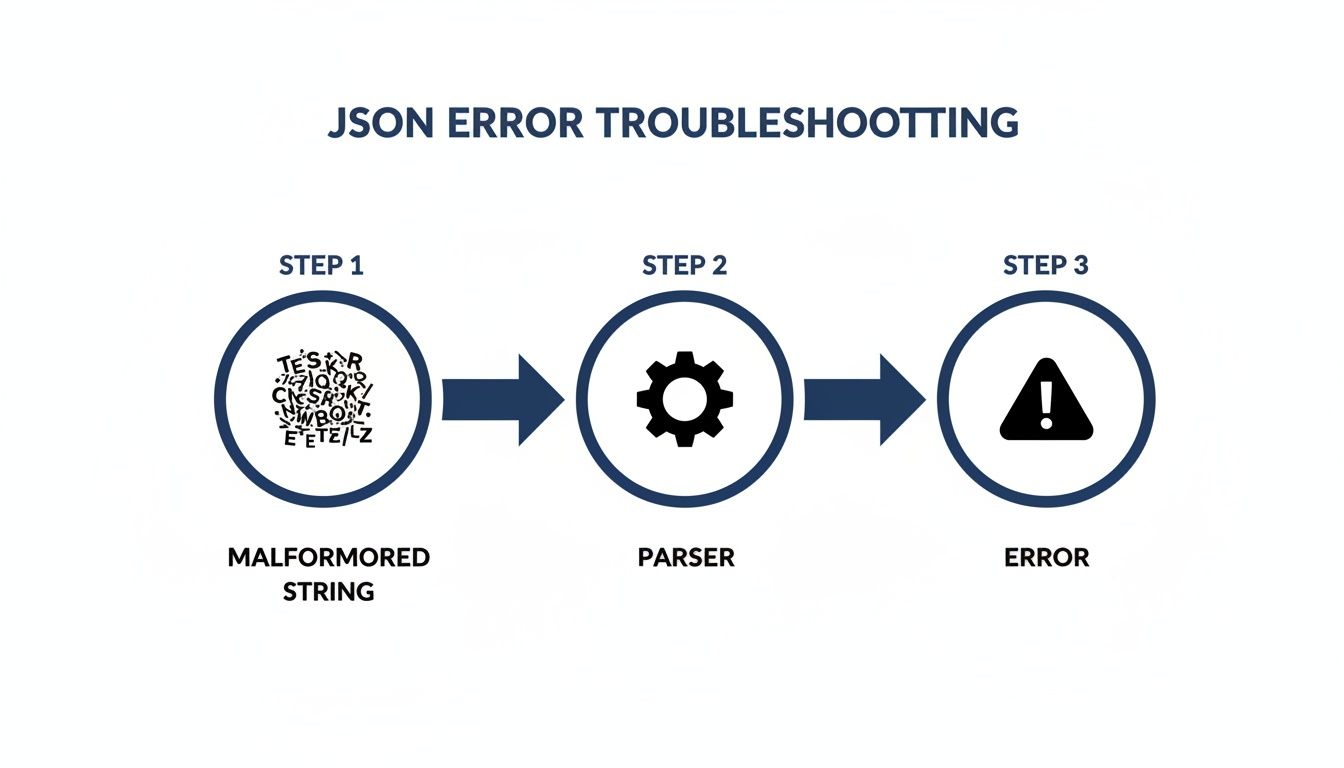 Caption: A flowchart showing how a malformed string results in a
 JSONDecodeError during parsing.
Source: Created by CrawlKit for illustrative purposes.
The No-Fuss Alternative: Structured Data APIs
Manually cleaning and parsing messy data from the web is a time sink. For developers who need clean, reliable, structured data without the tedious cleanup, an API-first platform is the ideal solution.
With a developer-first tool like CrawlKit, you can bypass this entire data cleanup process. Instead of wrestling with malformed strings, you get clean, structured JSON delivered directly from any website. As an API-first web data platform, CrawlKit handles all the underlying scraping infrastructure, proxies, and anti-bot systems, abstracting away the most painful parts of data extraction. Start free today.
This approach lets you focus on using the data, not just fixing it. You can explore how it works in the CrawlKit API Playground. And to see how these techniques fit into a larger project, our guide on how to web scrape with Python is a great place to start.
FAQ: Common Questions About Python String to JSON
Here are answers to some of the most common questions and sticking points developers face when converting strings to JSON in Python.
What's the difference between `json.load()` and `json.loads()`?
This is a classic point of confusion. The "s" in loads stands for "string."
json.loads(): Parses a JSON-formatted string from a Python variable.json.load(): Reads from a file-like object (e.g., a file you've opened). Useloads()for strings andload()for files.
Why do I get a `JSONDecodeError` with an empty string?
An empty string ("") is not a valid JSON document. According to the JSON specification, a valid document must contain at least one value, such as an empty object ({}), an empty array ([]), or null. An empty string has no value, so the parser fails immediately. Always check if a string is empty before attempting to parse it.
How do I handle a JSON string that uses single quotes?
Technically, a string with single quotes for keys or values is not valid JSON. However, you'll frequently encounter this format when scraping data from web pages. The best way to handle it is with ast.literal_eval(). This function from Python's ast module safely parses strings containing Python literals (like dictionaries with single quotes) without the security risks of eval(). A simple string.replace("'", '"') is brittle and should be avoided.
Is `ast.literal_eval()` a safe way to parse untrusted strings?
Yes, ast.literal_eval() is designed for this exact purpose. It only evaluates a string if it contains a valid Python literal structure (strings, numbers, tuples, lists, dicts, booleans, and None). It will not compile or execute arbitrary code, making it a safe alternative to eval() for parsing malformed, JSON-like data from external sources.
Can I parse a string that has a trailing comma?
json.loads() will fail if there is a trailing comma, as it violates the strict JSON standard. However, ast.literal_eval() can often handle strings with trailing commas, making it a useful tool for cleaning up messy, human-edited, or scraped data that resembles a Python dictionary or list.
What's the most common cause of a `JSONDecodeError`?
By far, the most common cause is a simple syntax error in the string. The top offenders are:
- Using single quotes instead of double quotes.
- A missing comma between elements or an extra trailing comma.
- An unescaped quote or backslash within a string value.
How do I preserve the order of keys from a JSON string?
Since Python 3.7, standard dictionaries preserve insertion order by default. When you use json.loads(), the keys in the resulting dictionary will have the same order as they appeared in the original JSON string, making it easy to work with ordered data.
Why did my `None` value become `null` in the JSON string?
This is the correct and expected behavior. The json module automatically maps Python's data types to their JSON equivalents during serialization with json.dumps(). Python's None becomes JSON's null, True becomes true, and False becomes false. This ensures the output is a valid JSON document that other systems can understand.
Next Steps
Now that you have a solid grasp of converting Python strings to JSON, you're ready to tackle more advanced data handling and web scraping challenges. Here are a few guides to continue your learning:
- How to Web Scrape with Python: A Beginner's Guide: Apply your JSON skills to a real-world web scraping project from start to finish.
- Web Scraping API: The Complete 2025 Guide: Learn how APIs can abstract away the complexities of scraping, letting you focus on the data.
- How to Build a Web Crawler from Scratch: Take a deep dive into the architecture and logic behind building a scalable data extraction tool.