


Meta Title: XPath Contains(): A Guide to Resilient Web Scraping
Meta Description: Master the contains() in XPath function to build resilient web scrapers. Learn syntax, advanced techniques, and practical examples for handling dynamic content.
Struggling with web scrapers that break due to dynamic content? The contains in XPath function is your secret weapon for finding elements when attributes and text are unpredictable. Instead of hunting for exact matches that fail with the slightest HTML change, contains() lets you target elements based on a partial match, ensuring your selectors remain stable and reliable.
Table of Contents
- Why XPath
contains()Is a Game-Changer for Scraping - Understanding the Core Syntax of XPath
contains() - Advanced Scraping Techniques with XPath
- Putting XPath
contains()to Work with CrawlKit - Common Mistakes and How to Avoid Them
- Frequently Asked Questions
- Next steps
Why XPath `contains()` Is a Game-Changer for Scraping
Ever spend hours perfecting a scraper, only for it to fall over because a website’s developers added a dynamic suffix like product-card-_9f8b_ to a class name? It’s an incredibly common headache that turns stable data extraction into a constant maintenance battle.
This is exactly where the flexibility of contains() becomes a game-changer.
Unlike rigid CSS selectors or exact-match XPath expressions that demand perfection, contains() just looks for a substring. This small difference is what separates a brittle script from a resilient, production-ready scraper. It empowers you to lock onto the stable part of a class, ID, or link while ignoring the junk that changes with every page load.
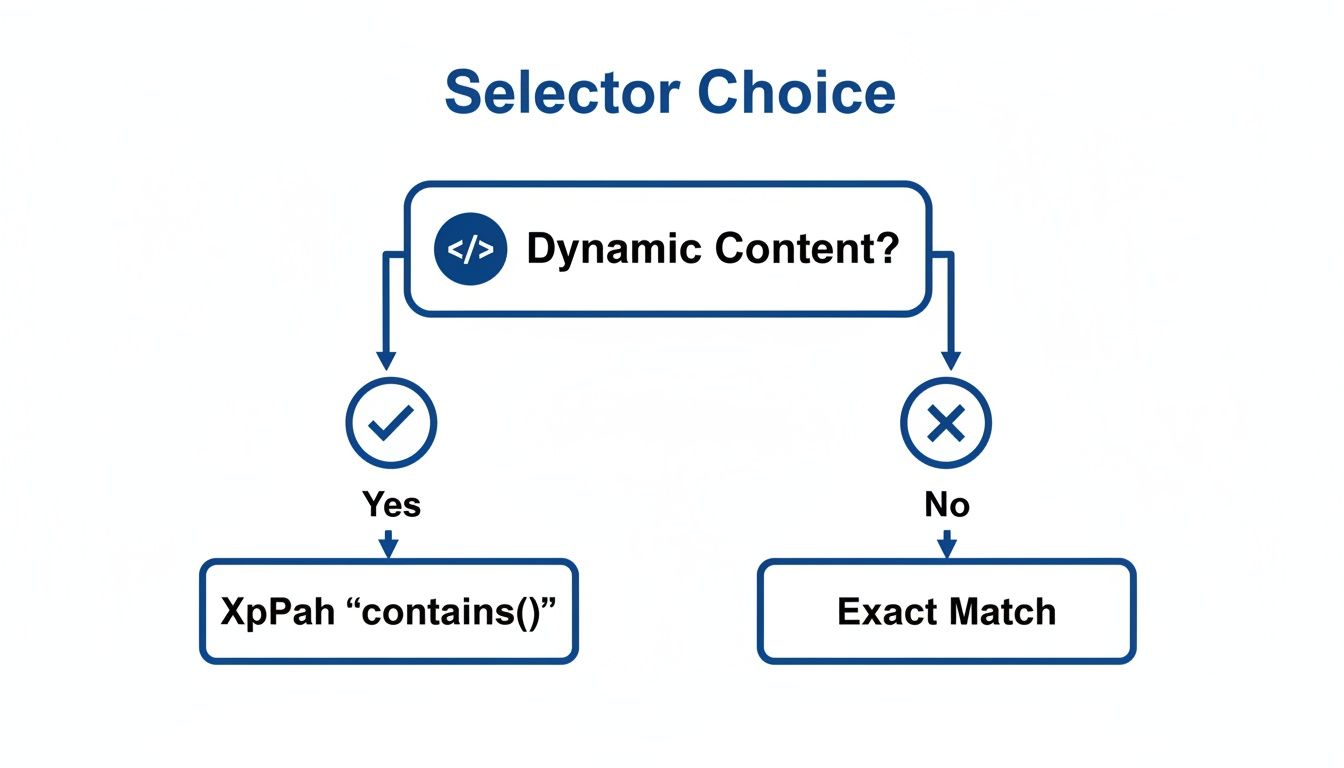 Caption: Choosing between exact matches and
 contains() often depends on whether the target element's attributes are static or dynamic. For dynamic content, contains() is the more resilient option. Source: CrawlKit.
When to Choose `contains()` Over Exact Matches
So, when should you reach for a partial match with contains() instead of an exact one? It almost always boils down to how stable the target website's HTML structure is. If you're dealing with dynamic, unpredictable attributes, contains() is the way to go.
Here’s a quick rundown of common scraping scenarios and which selector strategy usually wins:
- Dynamically generated class names: Use XPath
contains()to target the stable part of the class name, ignoring random suffixes. - Unique and static ID attribute: Use an exact ID match (
//div[@id='unique-id']) for the fastest, most reliable selection. - Simple, static class structure: CSS selectors are often more readable and concise.
- Tracking codes in URLs (
href): Use XPathcontains()to match the base URL while ignoring session or tracking parameters. - Locating by visible text: XPath
text()='...'is best for exact text matches, like button labels that don't change. - Partially matching visible text: Use XPath
contains(text(), '...')for finding elements where only a portion of the text is consistent.
This mindset is fundamental to building any lasting scraping solution. Modern e-commerce sites, for instance, often use frameworks that spit out complex, non-static class names. A selector demanding class="item-price-main-1a2b3c" will fail. But a selector using //span[contains(@class, 'item-price-main')] will keep working. It's a core principle behind many successful website data extraction tools.
Understanding the Core Syntax of XPath `contains()`
At its core, the XPath contains() function is a simple but incredibly powerful tool. Its flexibility lets you target elements even when their attributes or text content change on the fly.
The basic structure is refreshingly straightforward: contains(haystack, needle).
In this pattern, the haystack is what you're searching inside (like an attribute @class or the element's text text()), and the needle is the specific text you're looking for. If the haystack contains the needle, the expression returns true, and XPath selects the element.
Matching Partial Attribute Values
One of the most common uses for contains() is matching part of an attribute, especially the class attribute. Modern JavaScript frameworks love to generate dynamic class names like product-title-a1b2c3d4. An exact match on such a class is a recipe for a broken scraper.
This is where contains() shines. You can target the stable, predictable part of the class name.
For example:
//h2[contains(@class, 'product-title')]
This expression expertly finds any <h2> element whose class attribute contains the string product-title, ignoring the random junk at the end. This technique is fundamental for anyone looking to scrape data reliably with Python or any other language.
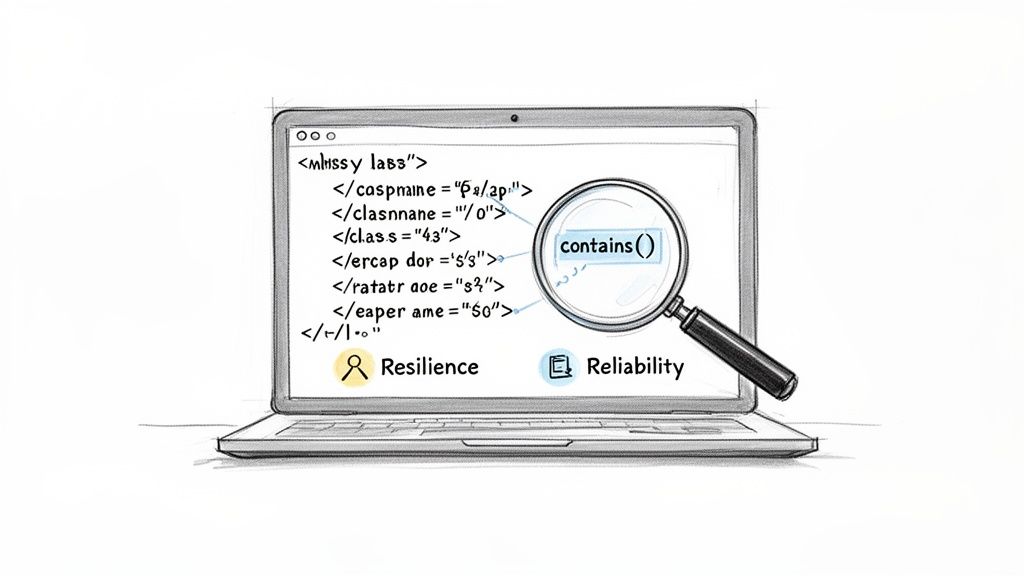 Caption: Using
 contains() in your XPath selectors makes them more resilient to minor changes in HTML, leading to more reliable data extraction. Source: CrawlKit.
Matching Partial Text Content
You can also use contains() to find elements based on the text they display. This is a lifesaver for locating buttons, links, or labels with subtle variations, like extra whitespace or surrounding words. The syntax is just as clean: contains(text(), 'substring').
Let's say you need to find a button with the text "Add to Cart." You could write this:
//button[contains(text(), 'Add to Cart')]
This is far more robust than an exact match like text() = 'Add to Cart'. It will still work if the actual button text is " Add to Cart " with annoying leading or trailing spaces.
Here’s a quick Python example using the lxml library to find an element with partial text:
1from lxml import html
2import requests
3
4# Example of scraping a simple site
5response = requests.get('http://example.com')
6tree = html.fromstring(response.content)
7
8# Find all links that have 'About' in their text
9links = tree.xpath("//a[contains(text(), 'About')]")
10
11for link in links:
12    # Print the full text content of each link found
13    print(link.text_content())
Advanced Scraping Techniques with XPath
Sooner or later, you'll hit a wall where basic selectors don't cut it. That’s when you need to start combining contains() with other XPath functions. This is the difference between simply grabbing elements and performing surgical extractions on complex web pages.
By chaining multiple conditions with logical operators like and and not(), you can create incredibly specific rules.
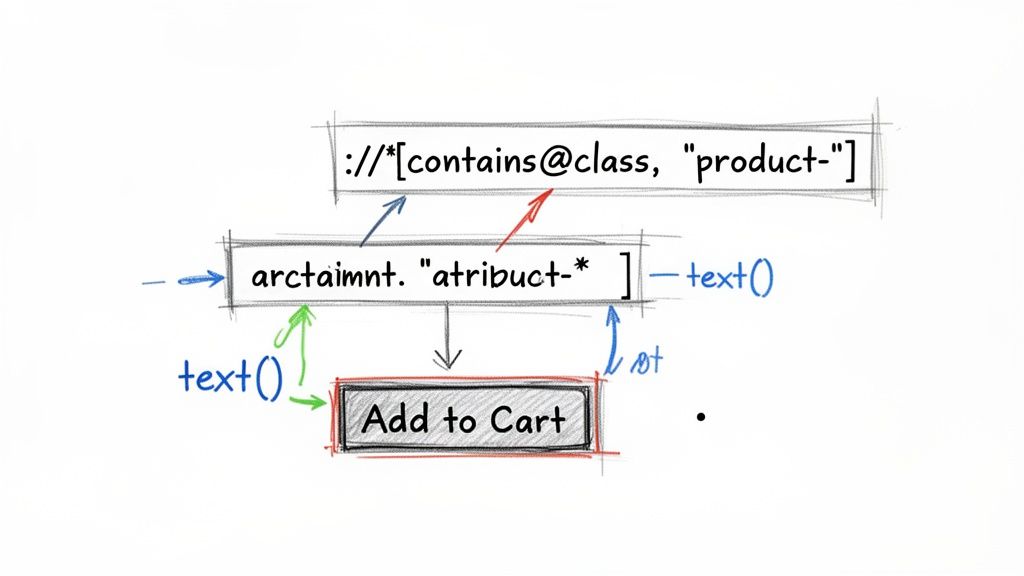 Caption: Combining XPath functions like
 contains() and text() with logical operators allows for precise and powerful element selection. Source: CrawlKit.
Combining `contains()` With Logical Operators
One of the most powerful patterns is pairing contains() with the not() function. It’s perfect for filtering out junk—sponsored posts, ads, and other noise that pollutes your data. Let's say you're scraping a search results page and want only organic listings.
A real-world XPath for this job would look something like this:
//div[contains(@class, 'result-item') and not(.//span[contains(text(), 'Sponsored')])]
This selector grabs div elements with a class containing 'result-item', but only if they don't have a span somewhere inside that contains the text 'Sponsored'.
Handling Case-Insensitive Matching
Here's a common headache: contains() is case-sensitive by default. A search for 'Product' will miss 'product'.
Luckily, XPath has a solution: the translate() function. It lets you convert text to a consistent case—usually lowercase—before you run the comparison.
Pro Tip: The
translate()function is your best friend for case-insensitive searches. The syntaxtranslate(string, 'ABCDEFGHIJKLMNOPQRSTUVWXYZ', 'abcdefghijklmnopqrstuvwxyz')reliably converts any target string to lowercase.
To find a link containing 'Profile' regardless of capitalization, you'd write this:
//a[contains(translate(text(), 'ABCDEFGHIJKLMNOPQRSTUVWXYZ', 'abcdefghijklmnopqrstuvwxyz'), 'profile')]
This trick makes your scrapers much more robust. When scraping dynamic content, you often need to master Selenium web scraping in Python, and robust XPath expressions like this are essential.
Whether building a scraper from scratch or using a service, mastering these patterns is key. For those who'd rather skip the infrastructure headaches, you can explore the best web scraping APIs that handle these complexities for you.
Putting XPath `contains()` to Work with CrawlKit
Theory is great, but seeing contains() solve a real-world problem is where it clicks. Let’s walk through scraping product data from an e-commerce site where class names are a mess of dynamic junk.
We'll use CrawlKit for this example because it lets us focus purely on the selector logic without getting bogged down in browser automation or proxy management. It's a developer-first, API-first web data platform designed to simplify data extraction.
Imagine our target page has product titles inside <h2> tags with classes like product-title-ab12 and prices in <span> tags with classes such as price-main-xy34. An exact match selector is brittle and useless for scraping at scale.
Crafting the Selector and Making the API Call
This is where contains() saves the day. We can craft a robust selector by targeting the stable part of the class name: //h2[contains(@class, 'product-title')].
With an API-first platform like CrawlKit, you just send your URL and that smart selector straight to the API. No need to spin up a headless browser, juggle user agents, or deal with getting blocked.
Here’s a cURL request defining a selector for the main product container and using relative XPaths with contains() for the title and price.
1curl -X POST "https://api.crawlkit.sh/v1/scrape" \
2     -H "Authorization: Bearer YOUR_CRAWLKIT_API_KEY" \
3     -H "Content-Type: application/json" \
4     -d '{
5       "url": "https://example-ecommerce.com/products",
6       "extraction": {
7         "selector": "//div[contains(@class, ''product-item'')]",
8         "fields": {
9           "title": {
10             "selector": ".//h2[contains(@class, ''product-title'')]"
11           },
12           "price": {
13             "selector": ".//span[contains(@class, ''price-main'')]"
14           }
15         }
16       }
17     }'
From Messy HTML to Clean JSON
The real magic happens in the response. Instead of raw HTML, the API returns clean, structured JSON, ready for your application. It abstracts all the scraping infrastructure like proxies and anti-bot measures, so you can focus on data.
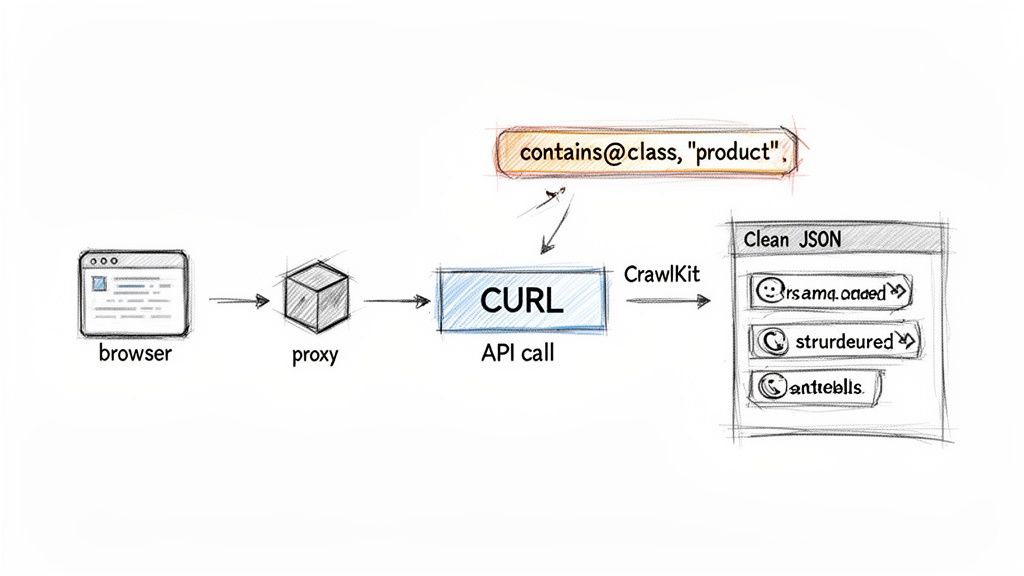
This screenshot from the CrawlKit Playground shows how that contains() selector translates messy HTML into a clean, predictable JSON object.
Caption: The CrawlKit Playground demonstrates how a well-crafted contains() selector can reliably extract structured JSON from complex HTML. Source: CrawlKit.
The performance gains from using precise functions are significant. A study on an LLM-based XPath Agent, for instance, found it achieved high precision while slashing token usage by 65% and clock time by 40%. You can explore the full arXiv research on automated XPath generation to see how these techniques are pushing the boundaries.
By pairing the right XPath functions with a powerful web scraping API, you get this power without the complexity. You can start for free and try it yourself.
Common Mistakes and How to Avoid Them
Using contains() is a game-changer, but a few common missteps can hurt performance or return unreliable data. Getting these details right is what separates a brittle script from a professional, maintainable scraper.
The single biggest performance killer is starting queries with a raw double slash (//). It tells the XPath engine to scan the entire document from the top. On large pages, this can be painfully slow.
The Problem with Overly Broad Queries
A faster approach is to anchor your search within a specific parent element. Instead of a broad search, first pinpoint a unique container and then search only within that smaller section.
 Caption: Efficient web scraping involves narrowing your search scope. An anchored XPath query is significantly faster than a global one. Source: CrawlKit.
By starting your path from an element with a unique ID, like //div[@id='main-content'], you’re telling the scraper exactly where to look. This makes your selectors far more efficient. For a deeper dive, check out our guide on web scraping best practices.
Confusing `text()` with the Dot Operator (.)
Another frequent point of confusion is the difference between text() and the dot operator (.) inside a contains() function. They search for text in fundamentally different ways.
contains(text(), 'substring'): This is hyper-specific. It only looks at text nodes that are direct children of the current element. It ignores any text tucked away in nested elements.contains(., 'substring'): This is much more powerful. It checks the combined text value of the current element and all of its descendants. This is usually what you want when you need to find text visible on the page, regardless of HTML structure.
Key Takeaway: Use
text()when you must match text directly inside an element and nothing else. Use.when you need to match any text visible within an element and its children. For most scraping tasks,contains(., '...')is the more reliable option.
Frequently Asked Questions
What is the contains() function in XPath?
The contains() function in XPath is a powerful tool used to select nodes (like HTML elements) that contain a specified substring in an attribute value or text content. It allows for flexible, partial matching, making it essential for scraping websites with dynamic or unpredictable class names, IDs, or text.
How do you find text that contains a specific word in XPath?
To find an element containing a specific word in its text, you use the text() node test within the contains() function. The syntax is //tagname[contains(text(), 'your-word')]. For example, //p[contains(text(), 'important')] will select all paragraph elements that contain the word "important".
What is the difference between starts-with() and contains() in XPath?
starts-with(string, 'prefix') checks if a string begins with a specific prefix, making it more restrictive. contains(string, 'substring') checks if the substring appears anywhere within the string. Use starts-with() for stable prefixes and contains() for more general partial matching.
Can XPath contains() find an element with one class but not another?
Yes. You can chain contains() with a not() function inside the same predicate. This is perfect for filtering results, such as scraping a product list while excluding sponsored items. The expression //*[contains(@class, 'product') and not(contains(@class, 'sponsored'))] achieves this.
Is the contains() function case-sensitive?
Yes, contains() is case-sensitive by default. A search for "Apple" will not match "apple." To perform a case-insensitive search, use the translate() function to convert both the attribute/text and your search string to a consistent case (usually lowercase) before comparison.
Why is my contains() XPath query so slow?
If your query is slow, the culprit is likely an overly broad starting point like //. This forces the XPath engine to scan the entire document. To fix this, anchor your search to a closer, stable parent element (e.g., //div[@id='results']//a[contains(., 'text')]) to drastically narrow the search area and improve performance.
Can I use contains() to find an element by its inline style?
Yes, an expression like //*[contains(@style, 'display: block')] is valid XPath. However, use this with caution. Inline styles are often controlled by JavaScript and can change frequently, making your selectors fragile and prone to breaking.
What is a practical example of contains in XPath for web scraping?
A common example is scraping e-commerce product titles where class names are dynamic (e.g., class="product-title-xyz123"). Instead of an exact match, a robust selector would be //h2[contains(@class, 'product-title')]. This finds all h2 elements whose class attribute contains the stable "product-title" string, ignoring the dynamic suffix.
Next steps
- Web Scraping Best Practices for 2024
- A Developer's Guide to the Best Web Scraping APIs
- How to Reliably Scrape Data with Python and Proxies